Adobe
Firefly Activation
A three-wall kit built to tour conventions and government forums, putting Adobe's Firefly AI in guests' hands instead of on a screen behind glass. Sit for a selfie or start from a stock shot, generate a stylized portrait, and watch it land on a gallery wall built to prove the same art scales from a phone to a jumbotron. Design developed and built entirely in-house.
The brief
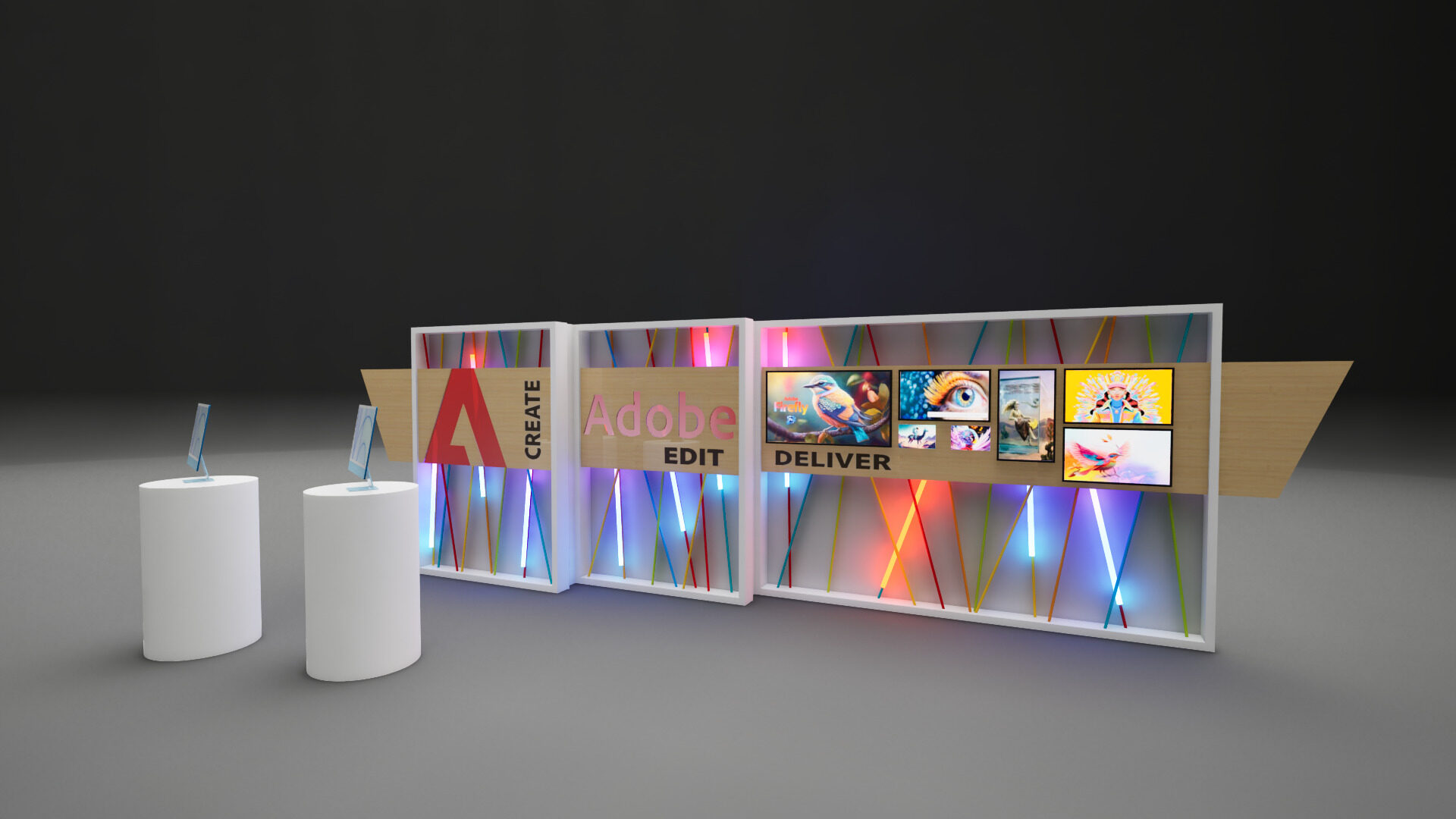
Adobe wanted a way to put Firefly, its generative AI suite, directly in front of a crowd: not a demo video, a working station. Guests sit down at one of two iMacs, take a selfie or pick a stock image if they'd rather not be on camera, and use Firefly to generate a stylized self-portrait. Finished pieces get pushed to a digital gallery wall built into the activation, showing off the same artwork scaled across different screen sizes and orientations, phone to tablet to full display, at once.
Our creative director, Ryan O'Connor, set the initial concept and rough design. I developed it into a buildable system and built it in-house, with one requirement driving every decision after that: this had to survive being reconfigured for a different room every time it shipped.
My role: design development from Ryan's concept through construction documents, in-house fabrication, and the reconfigurable connection system between wall sections.
Steel skeleton, hand-strung color
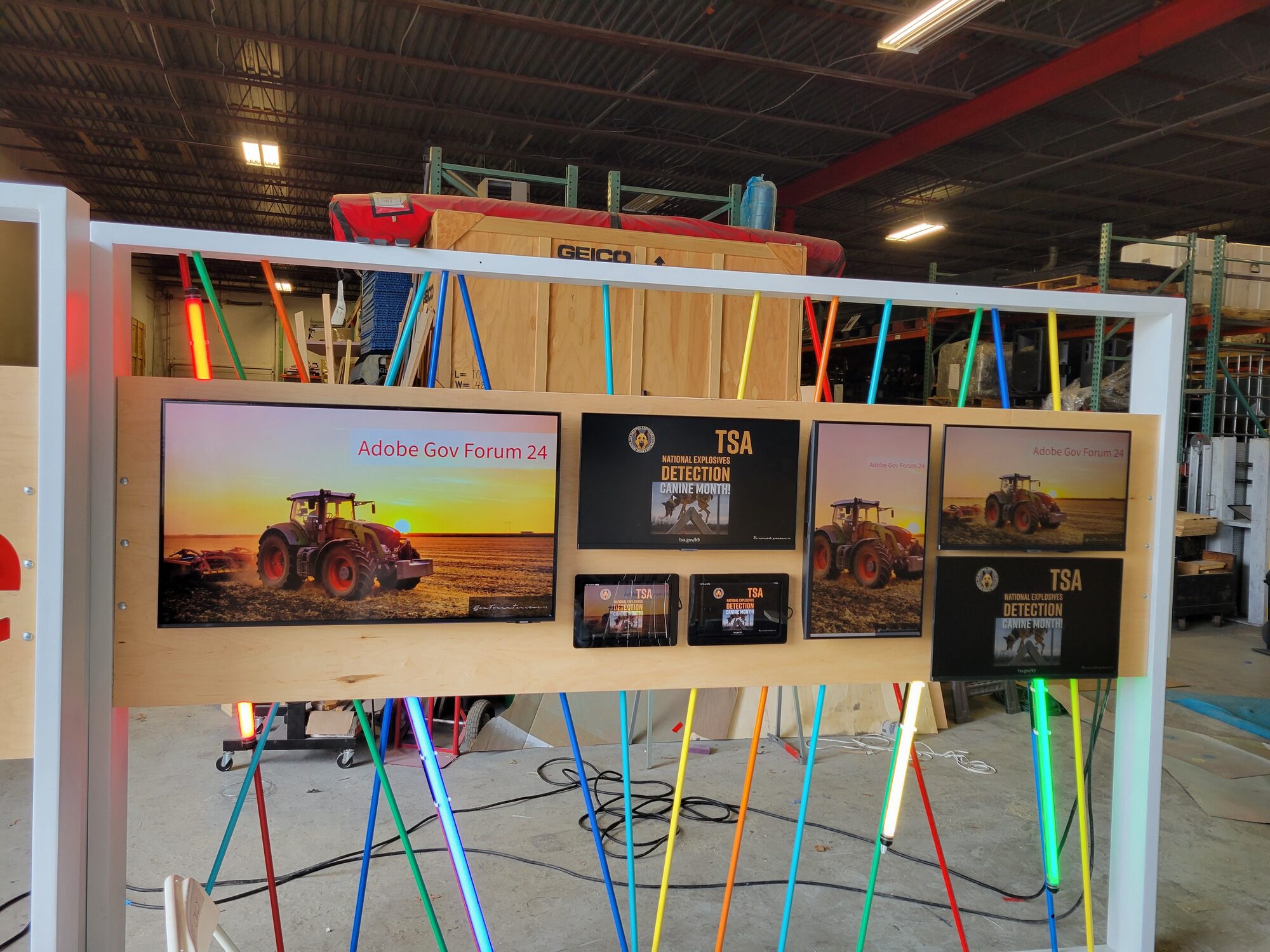
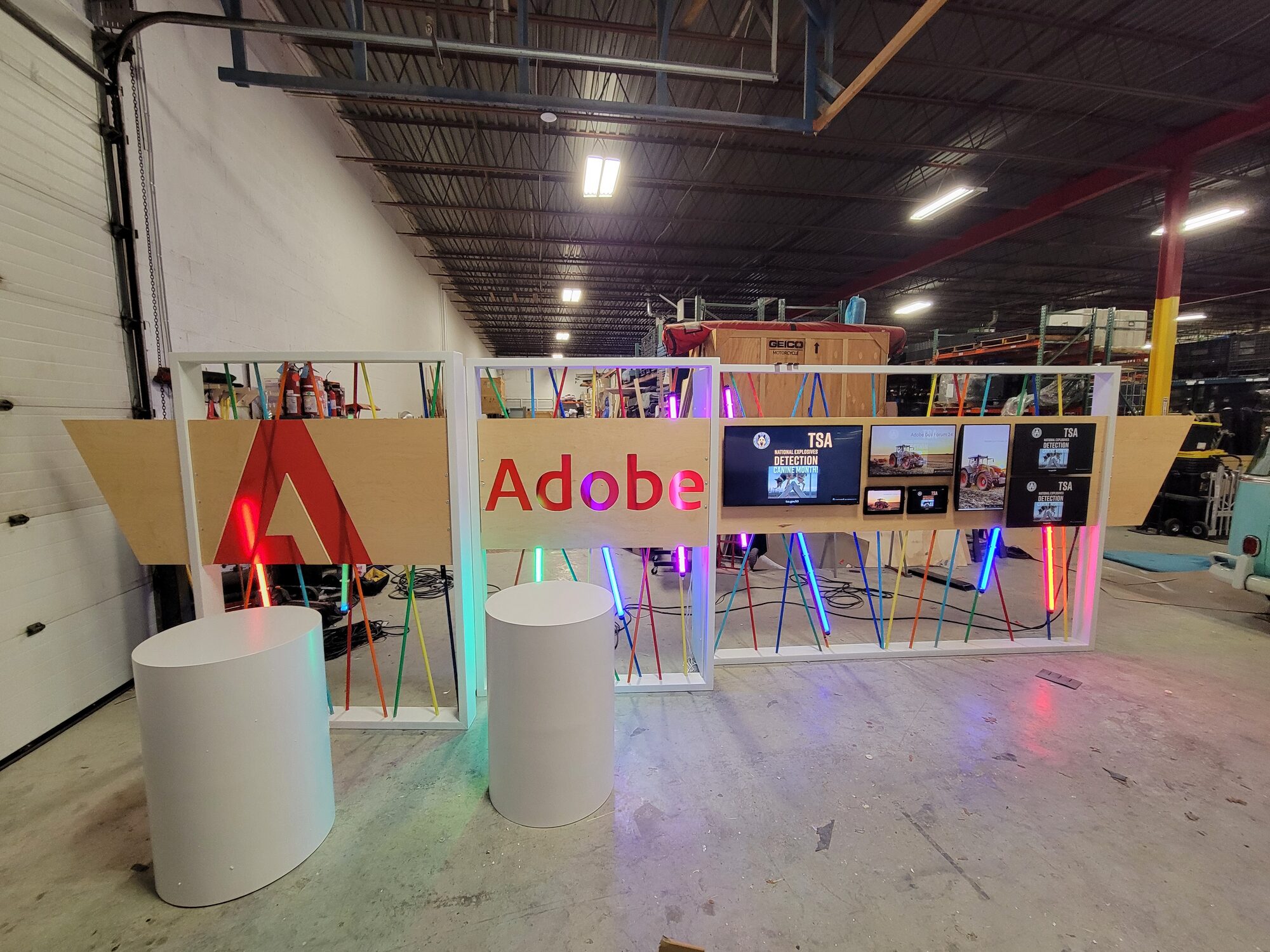
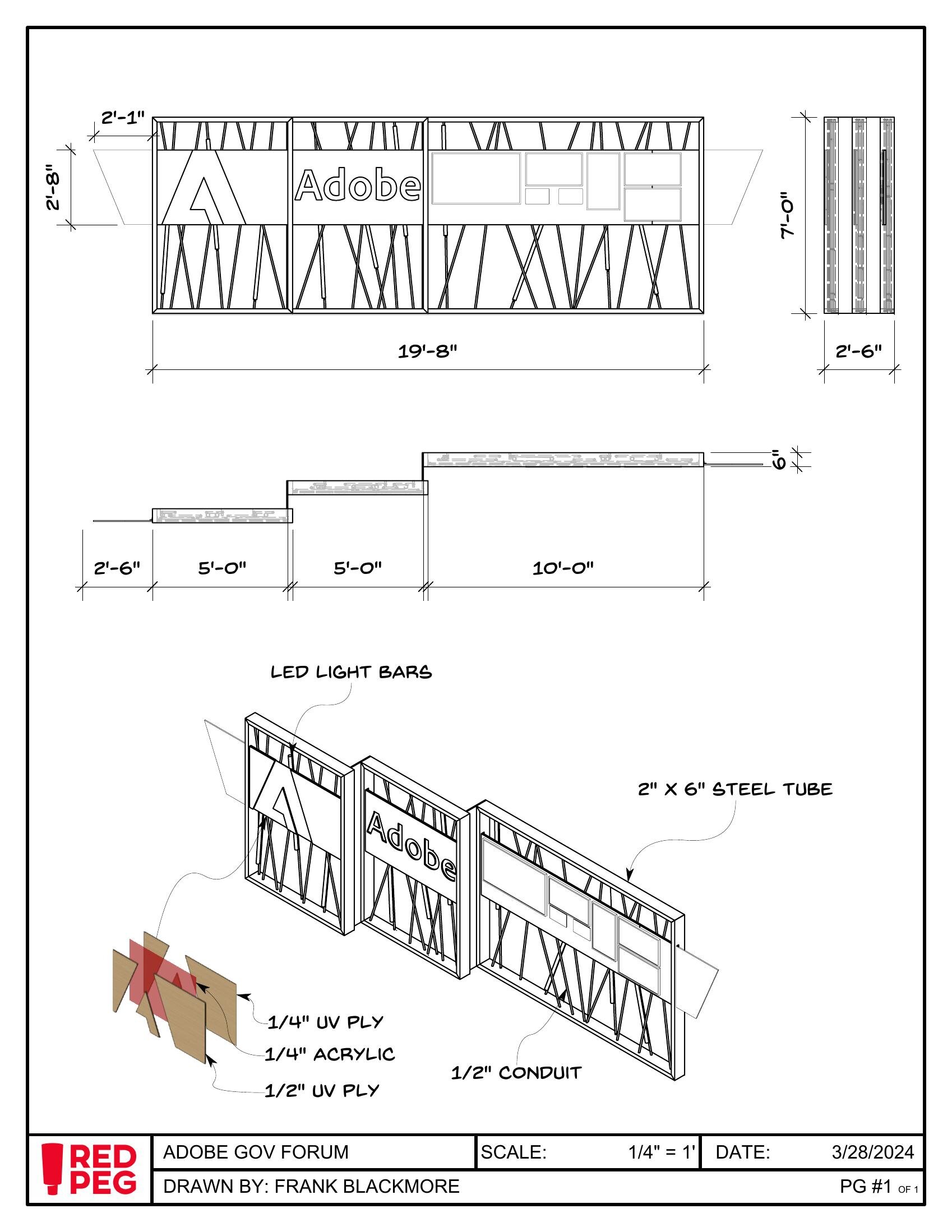
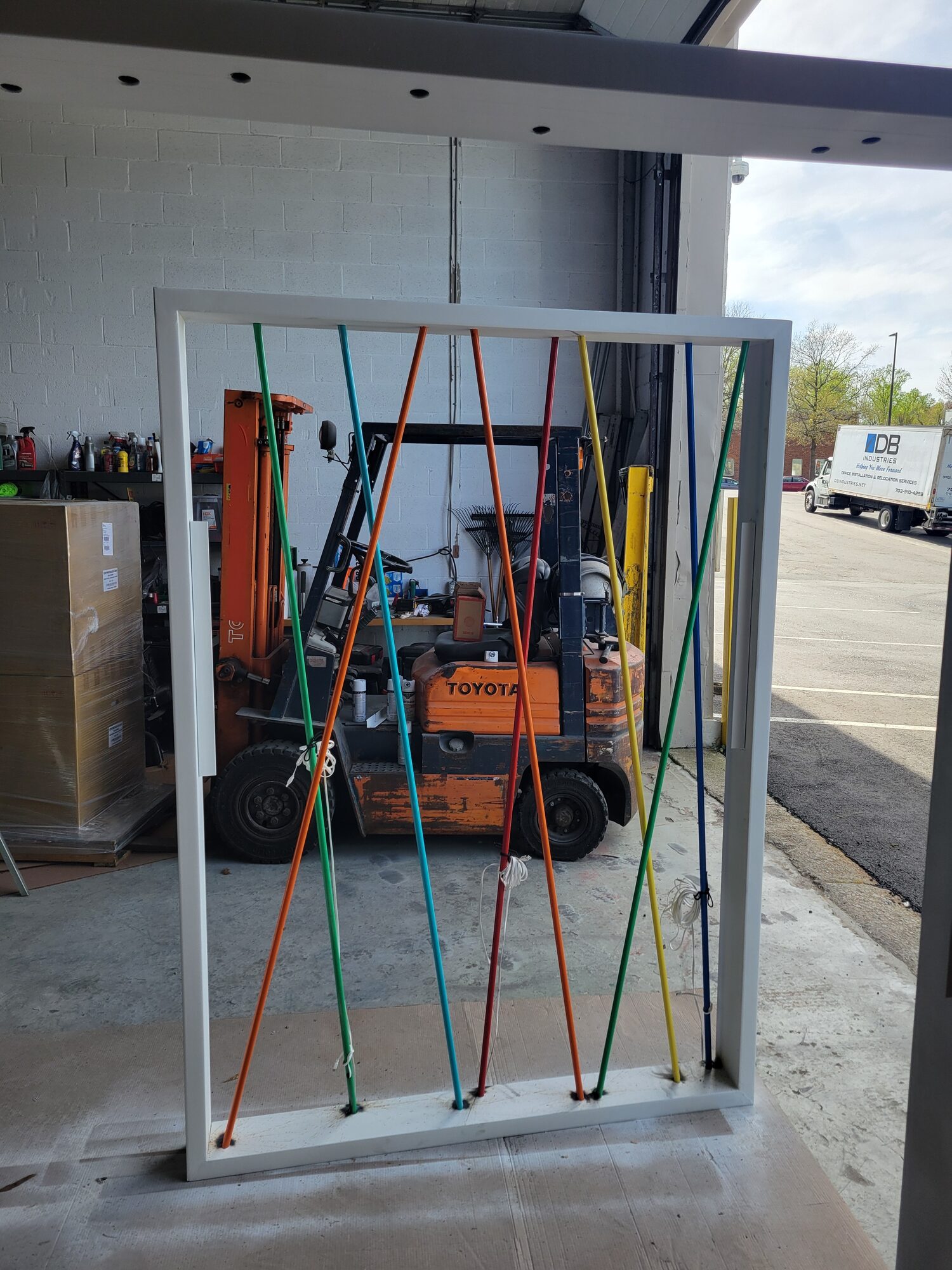
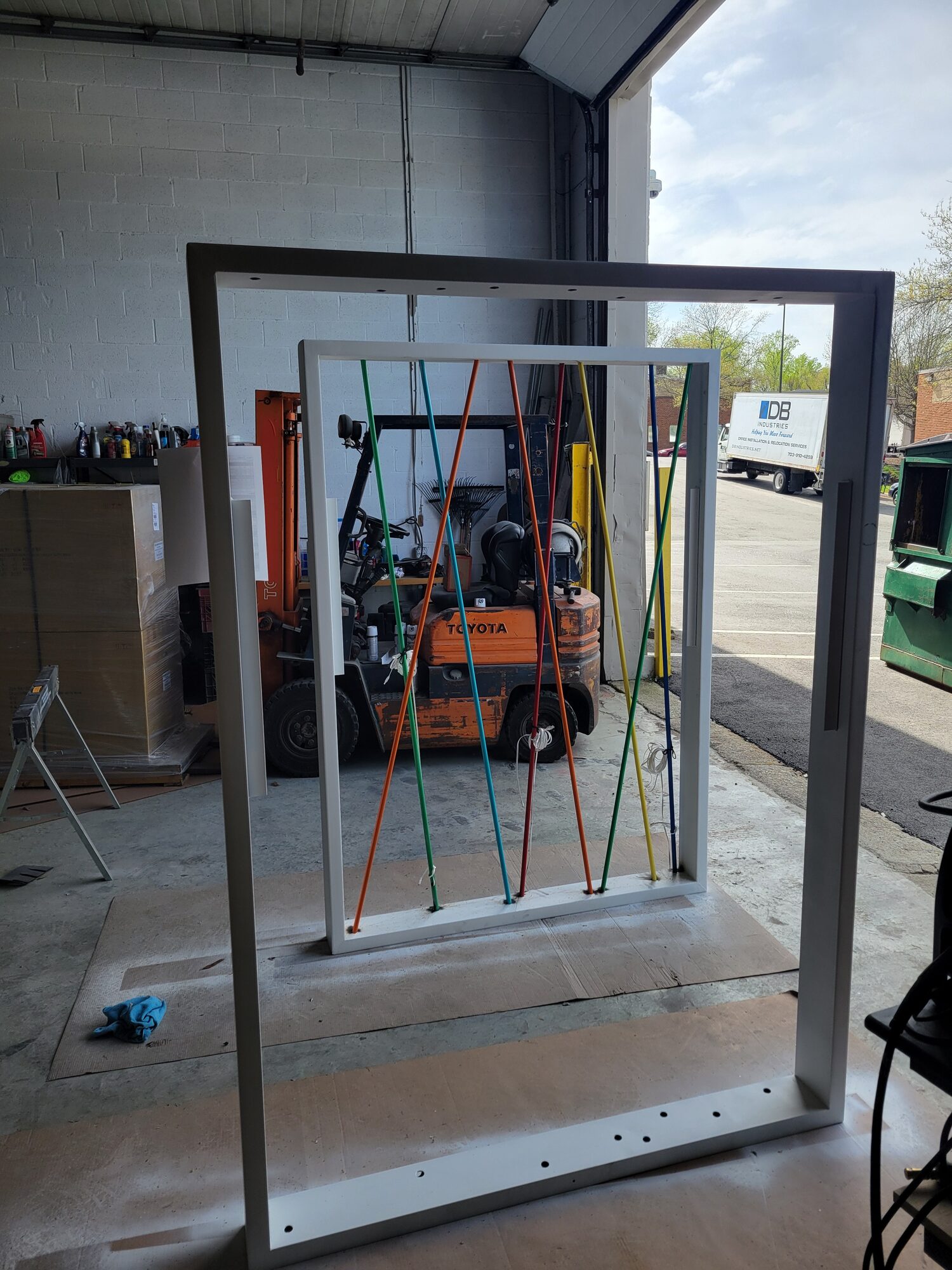
Every wall is the same assembly: a 2"x6" welded steel tube frame, faced in UV-finished maple ply, carrying a cut acrylic logo or wordmark backed in UV ply so it reads lit or unlit. Strung across the open frame behind the graphic band is 1/2" steel conduit in 5 different colors, layered and welded into place, crossing at different angles on every wall so no two panels repeat the same pattern. Color-changing LED bars mounted to the colored bars added a dynamic splash of color and depth.
Three walls, four ways to show up
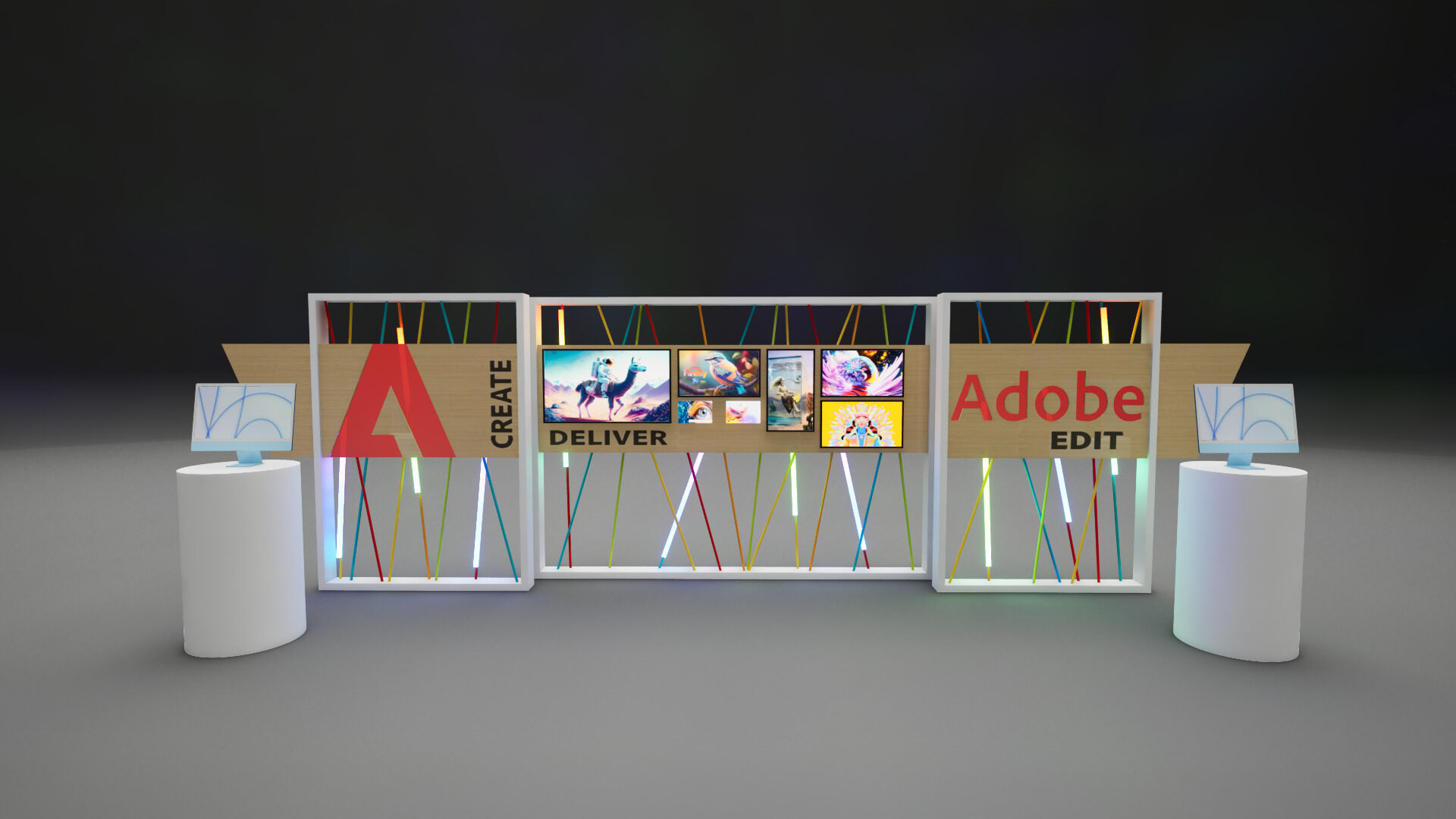
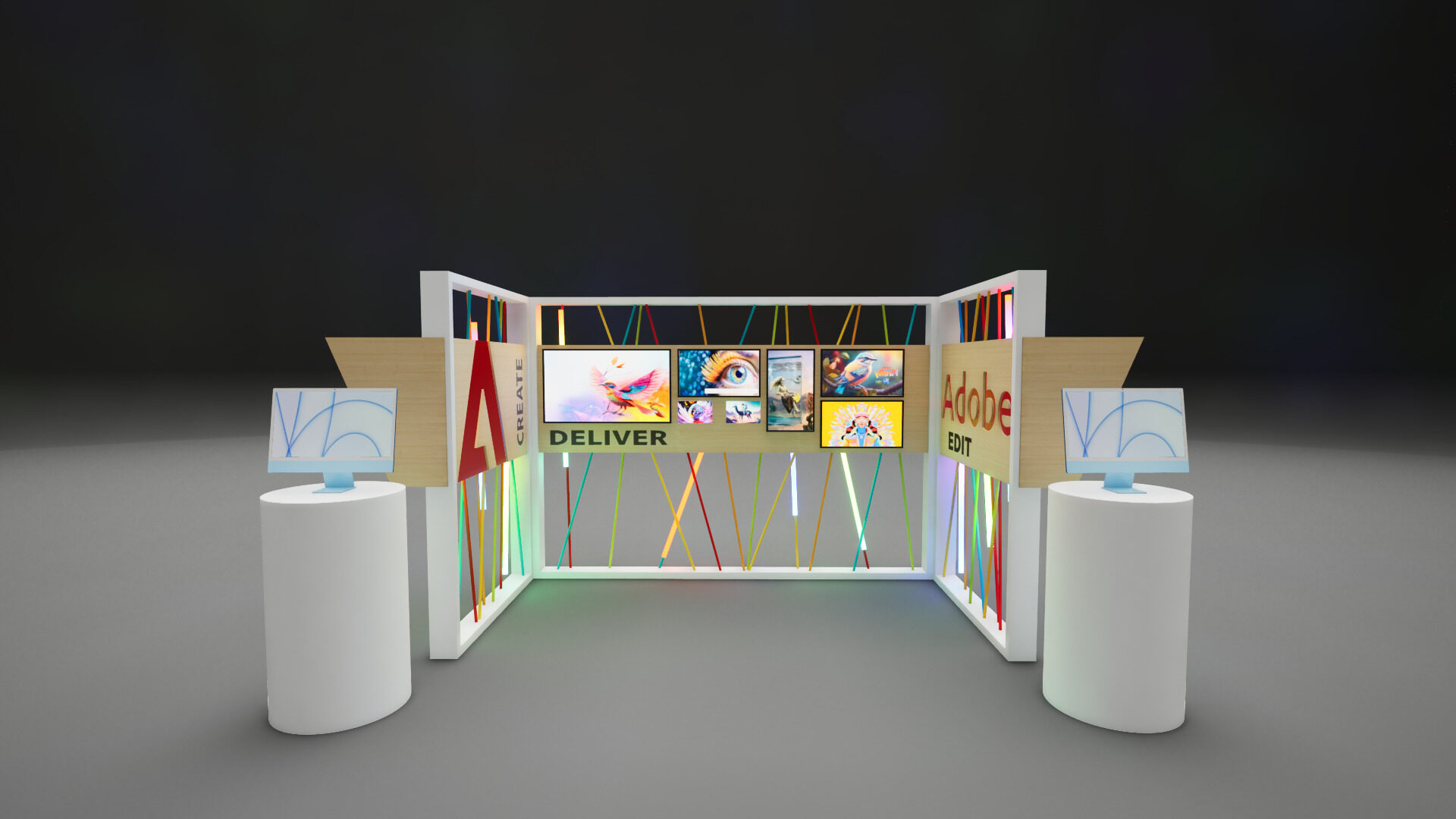
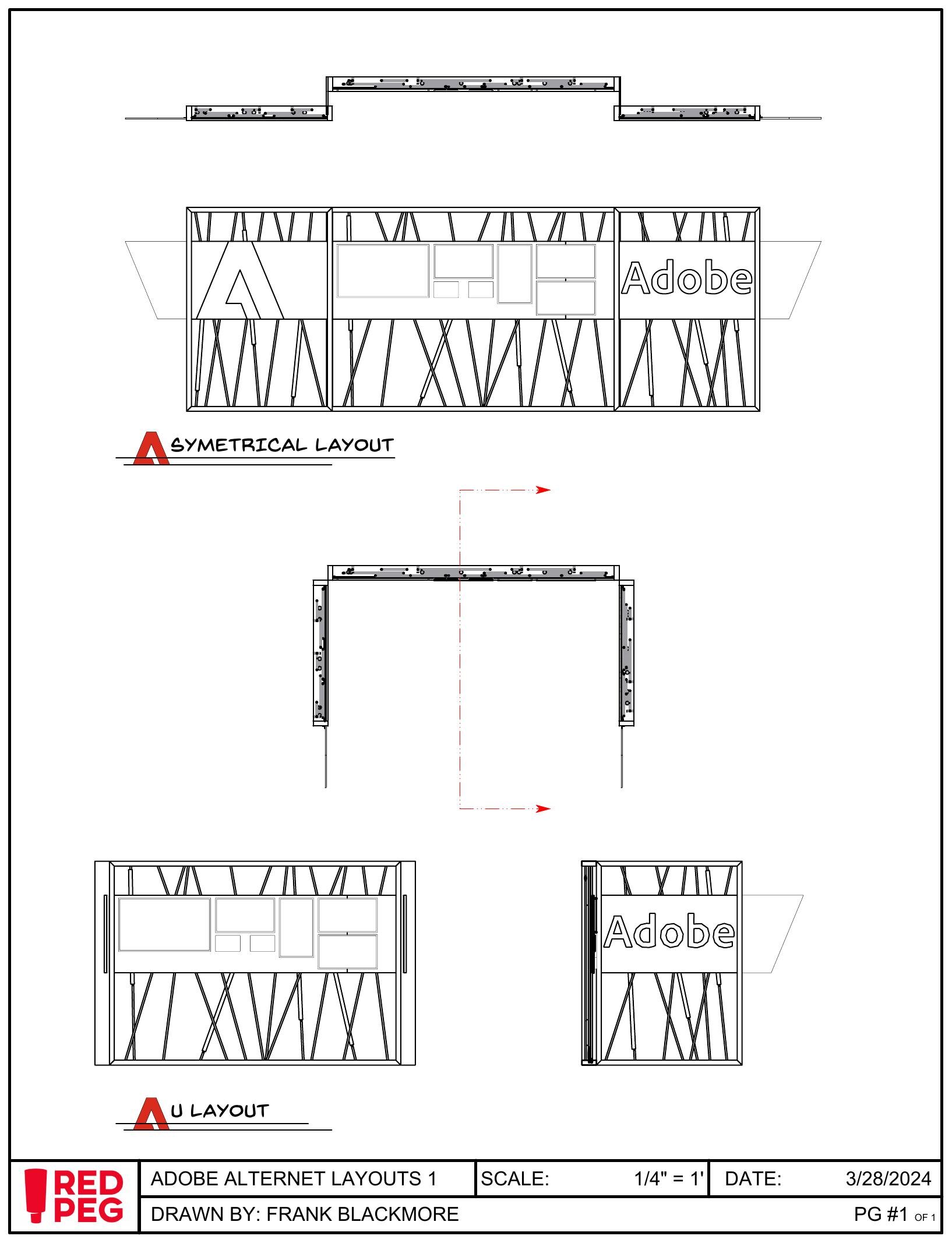
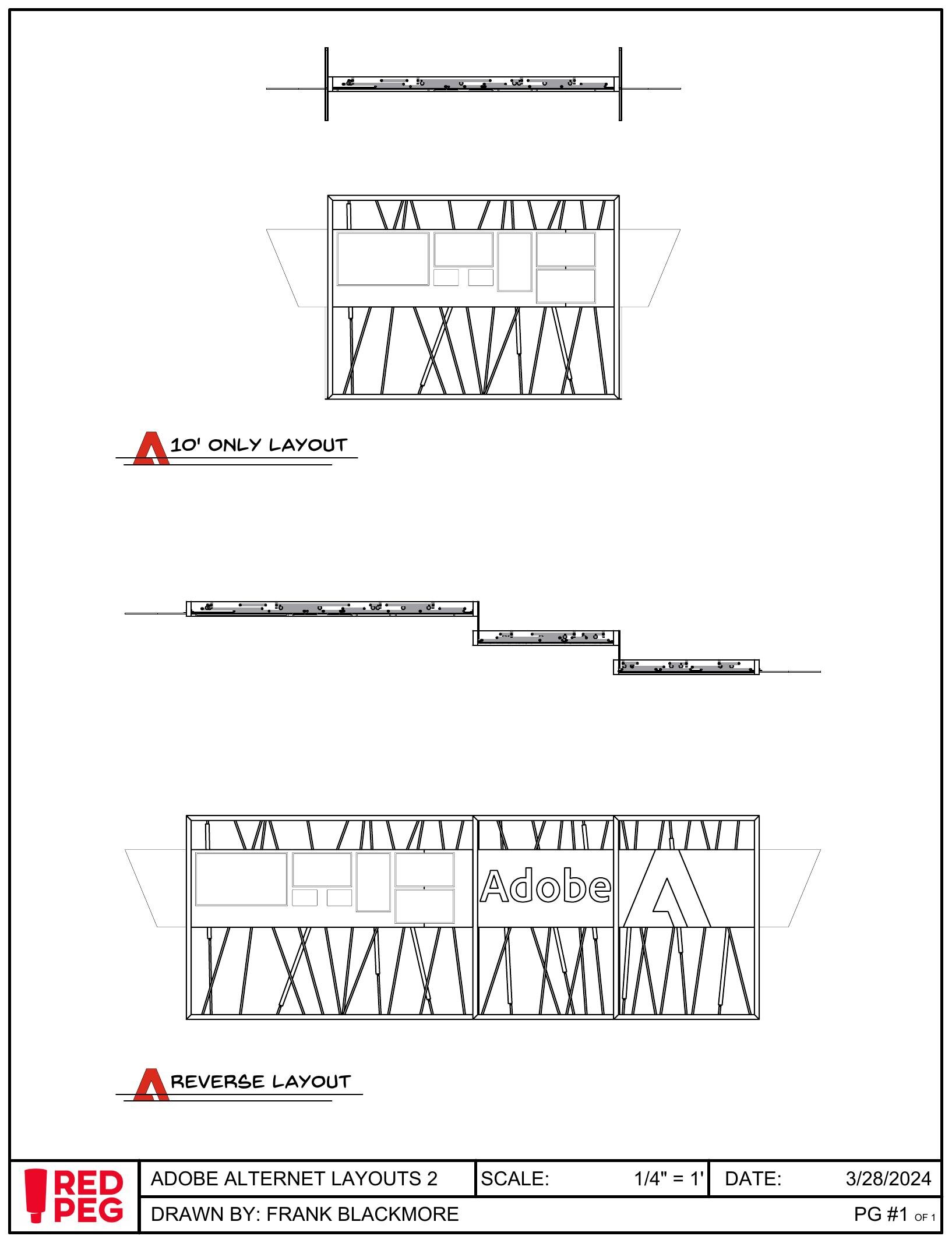
A lobby display wants a 20' straight run. A convention hall wants a 10'x10' square footprint. Smaller spaces can only fit one section of wall. The same three panels need to bolt together and work for multiple situations without any extra pieces, so the connection points and cable runs were drawn to work in any order: side by side, reversed, split down to a single 10' wall, or opened into a U that wraps around the pedestals. The wall labels, CREATE, EDIT and DELIVER, read as Adobe's own creative workflow whichever order they land in.
A workflow you can walk through
The two iMac stations sit on cylindrical white pedestals in front of the CREATE and EDIT panels. A guest takes a selfie or chooses from a set of stock images, generates a stylized portrait with Firefly, and sends it to the DELIVER wall. That wall is the actual sell: the same artwork tiled across five screens of different sizes and orientations, proof that what Firefly makes for one guest holds up whether it's shown on a phone-sized panel or a display three times as wide.
Renders sell it, drawings lock it in
Every dimension, material call-out, and alternate layout got packaged into a single set for Adobe and the internal team: overall elevations and section, the steel and conduit spec, and the four documented configurations, symmetrical, U, reverse, and the 10' single-wall option, so whichever floor plan a venue handed us, the plan already covered it before a single piece of steel was cut.
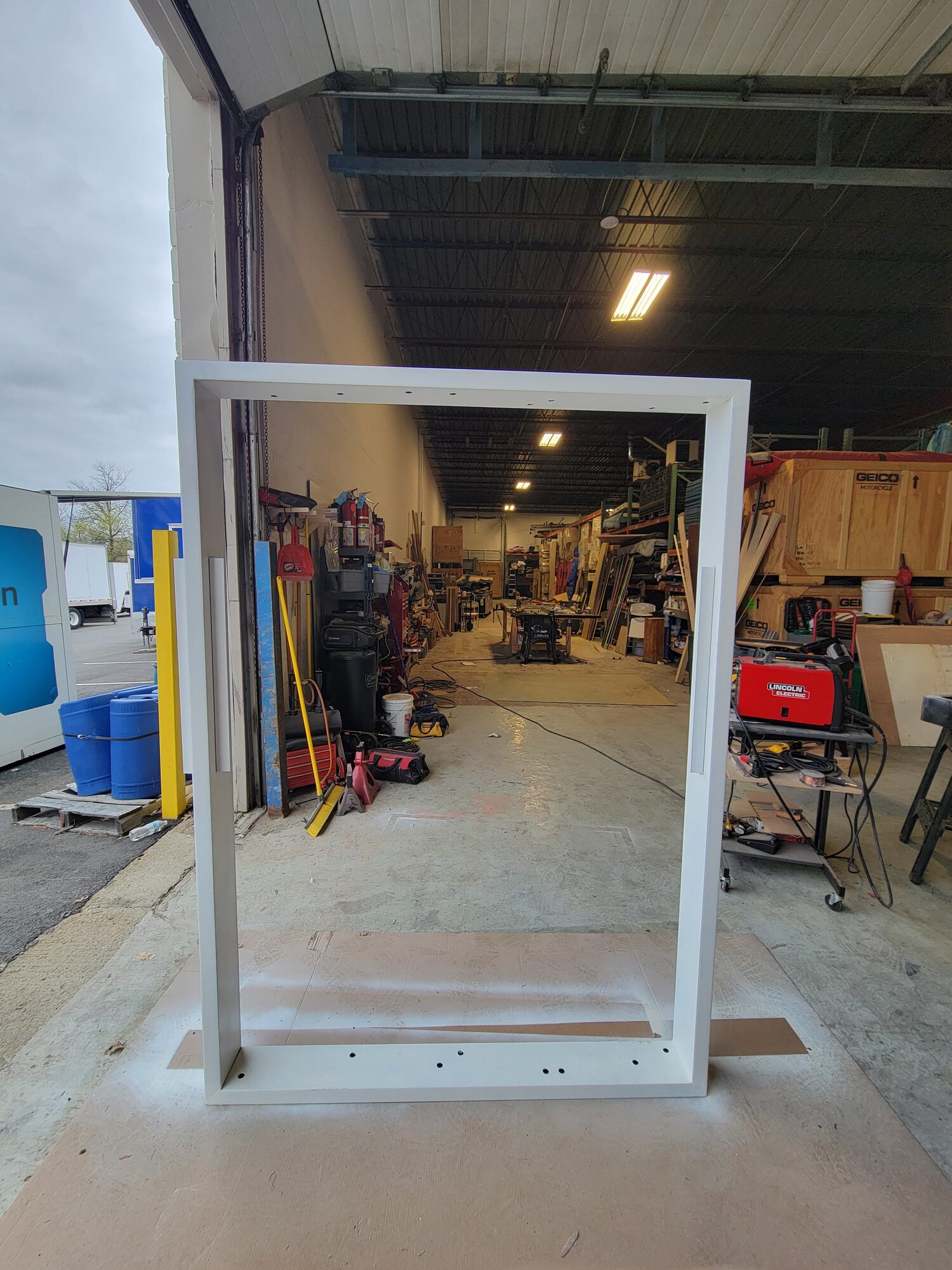
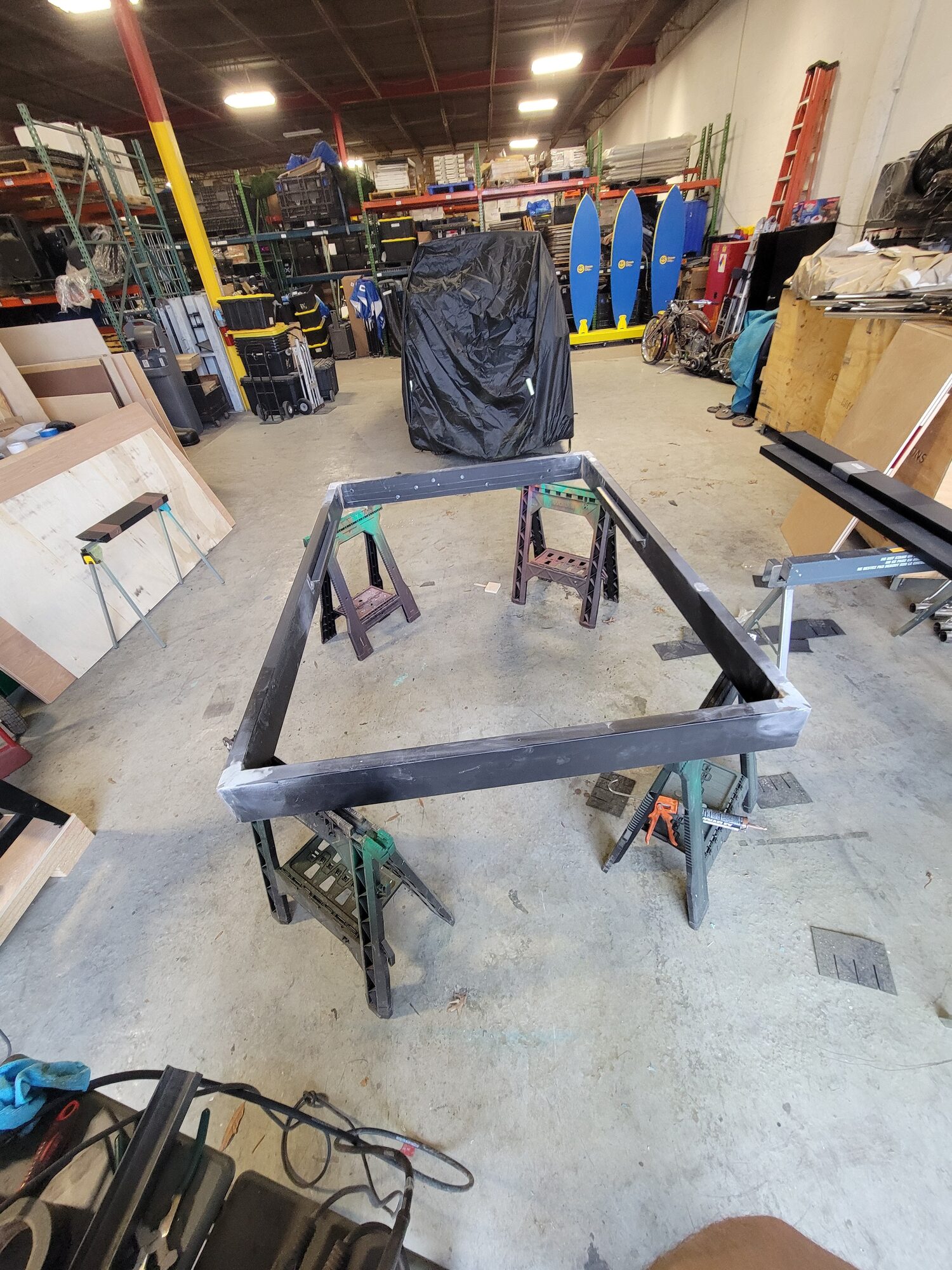
Every wall starts as a weld
The frame is the whole structural idea: a rectangle sized to spec, plus a flared trapezoidal cap at top that gives every wall its signature wing. Both pieces get built and welded in-house before anything else goes on, so the connection points can be checked against the drawings while the steel is still bare.
Every pipe is cut and hung by hand
Once a frame is painted, the conduit goes on in three rows down the center of the frame, spaced so the runs can cross and overlap without fouling each other. Nothing here is adjusted by eye: every run is planned and measured out ahead of time so the finished pattern matches the drawings exactly. No two walls carry the same arrangement of colors and angles, which is what keeps the kit from reading as a single repeated module even though every frame underneath is identical.
Panels on, screens live
The UV-finished maple-faced graphic panels bolt onto the steel skeleton last, logo and wordmark already cut and finished. LED bars go in behind the conduit, and the DELIVER wall's monitors and tablets get mounted and wired last, ready to run whatever content a client feeds it.
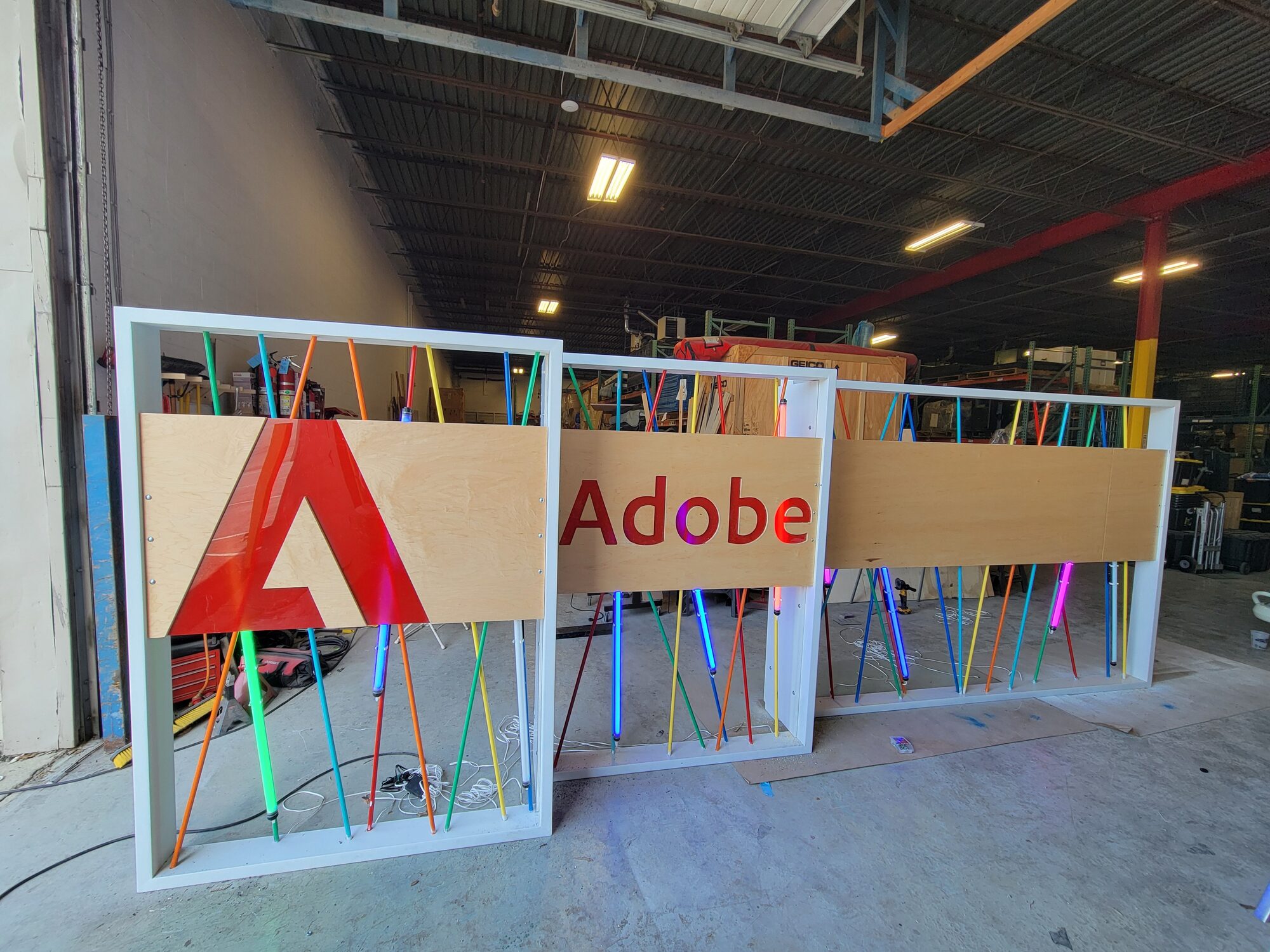
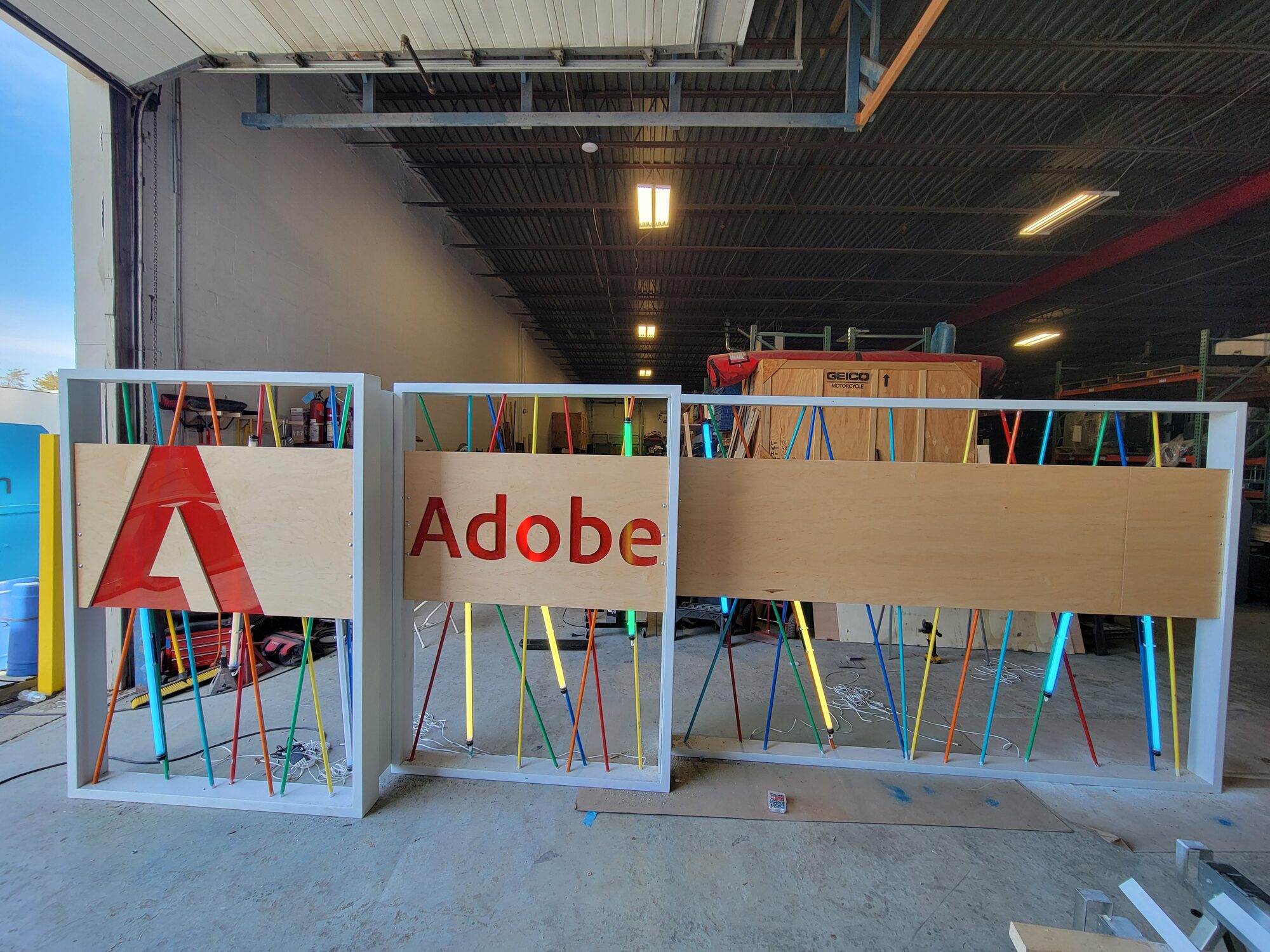
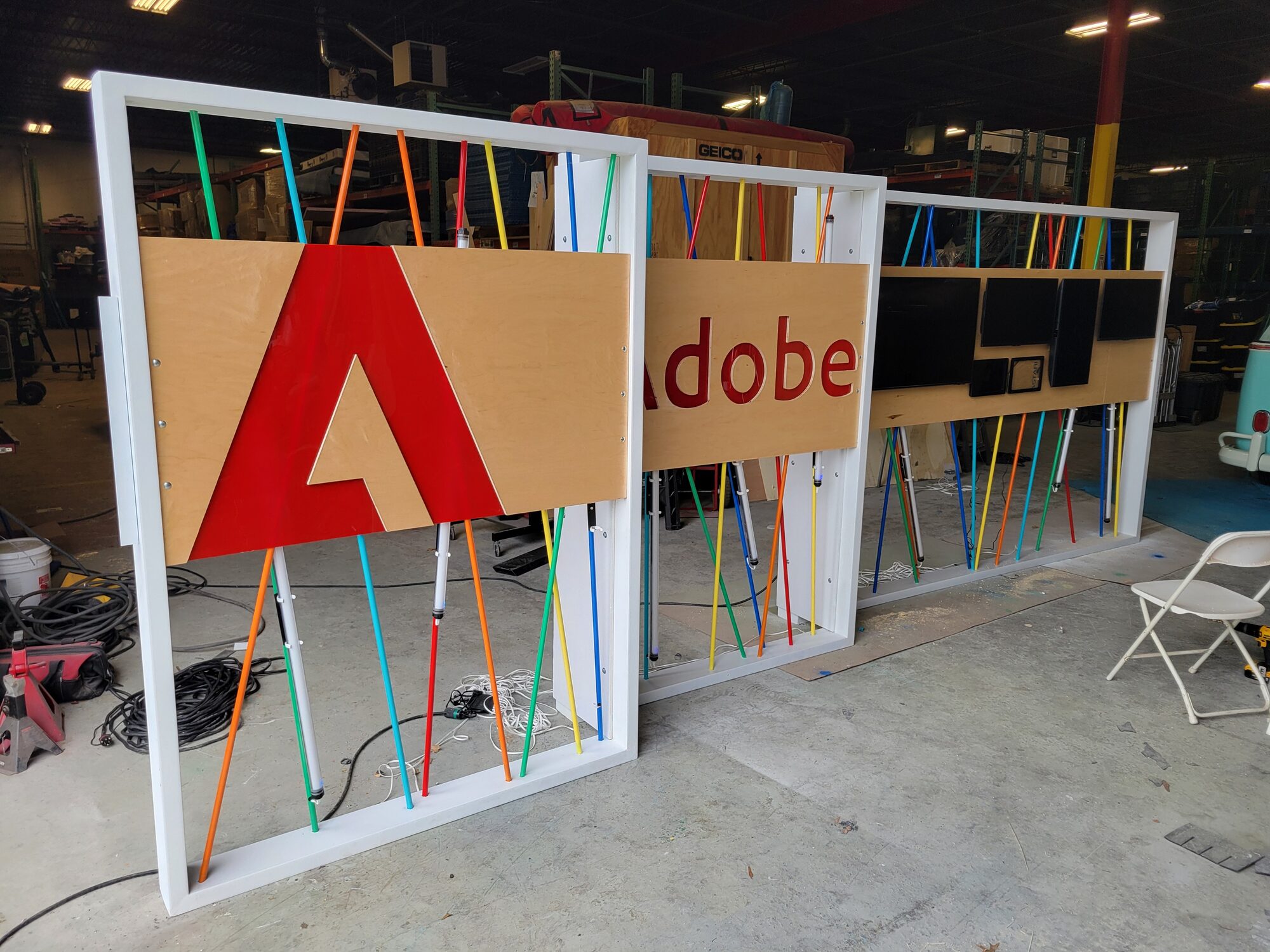
Fully built, waiting on its first crowd
Pedestals in, every panel lit, the kit staged in the shop the way it would stand on a show floor. I'm still tracking down photos of the activation live at an event from a former coworker; this is where that shot will go once it turns up.